|
Below are three options to
print the pattern.
If you
need more information on the options below please go to the Pattern
Download Page for the main doll pattern.
Option 1 - PDF Format - Full Size Patterns:
Below is a link to download the pattern in a PDF format.
Printing Note: When printing
with Acrobat do not select the "Fit To Page" option. It will cause
the pattern to print the wrong size.
Chapter 8 Clothes Patterns- PDF (460KB)
You will need the FREE Adobe Acrobat Reader to view and print the
pattern. If your computer does not have this free software you can
download it from the Adobe website - Click
HERE for Free Adobe Acrobat Reader.
Option 2 - MS Word 97 Format - Full Size
Patterns:
Below is a link to download the pattern in MS Word 97
format. The pattern will print the correct size with this option.
Chapter 8 Clothes Patterns - MS Word (270KB)
Depending on your browser you can either save it to a disk and open
it with MS Word (MS WordPad, or other compatible word processor) or open
it directly from the browser.
Option 3 - Web Graphic (.gif format)
- Size Depends on Your Computer System - Scanned to Print Full Size for
Most Common Users:
Click on links below to view the pattern and print directly
from the web.
Printing Hint: To keep the
graphic from running off the side or bottom of your page first select PAGE
SETUP under you FILE menu and set all margins to "0".
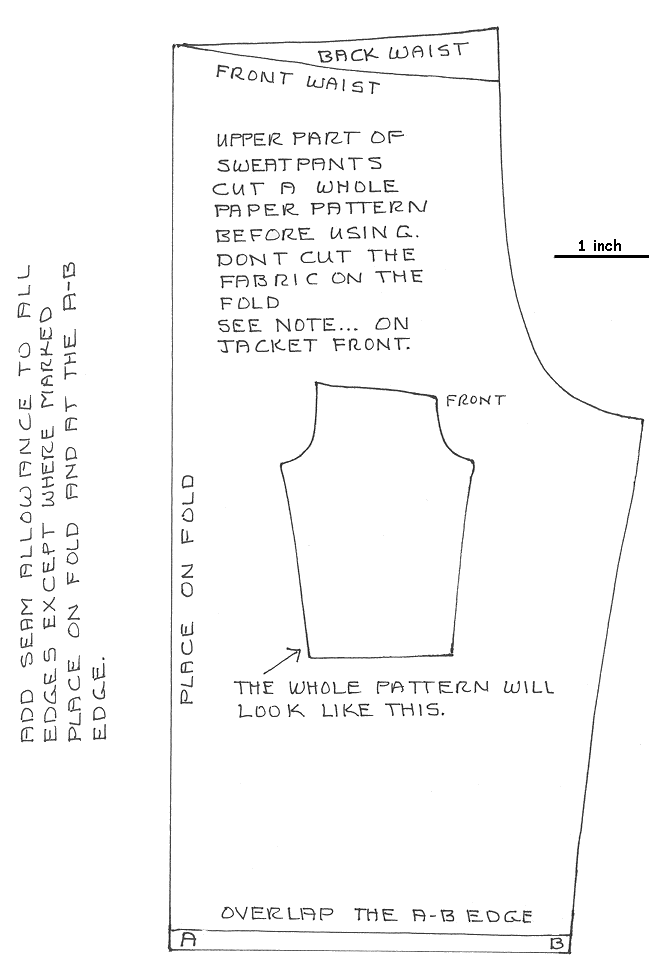
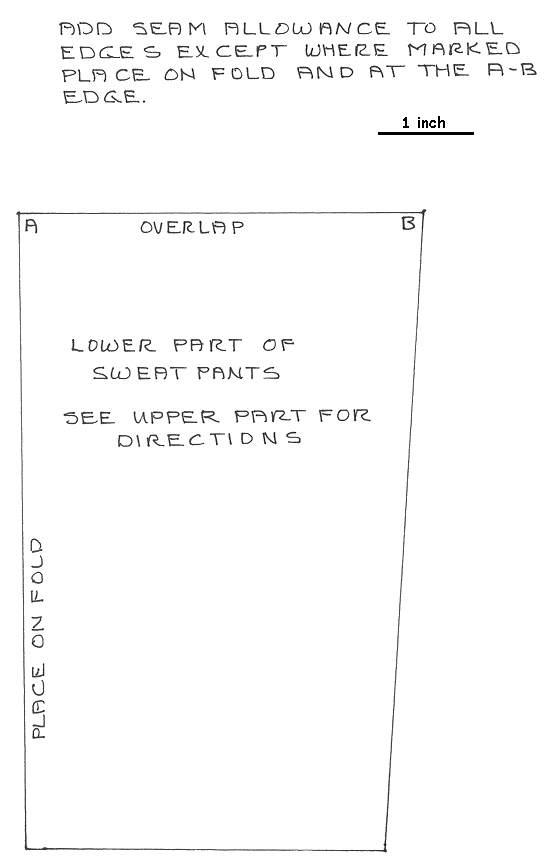
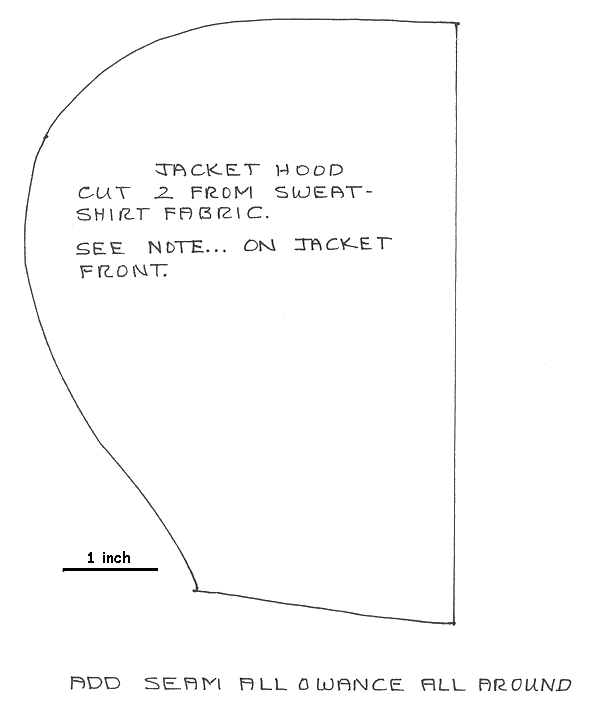
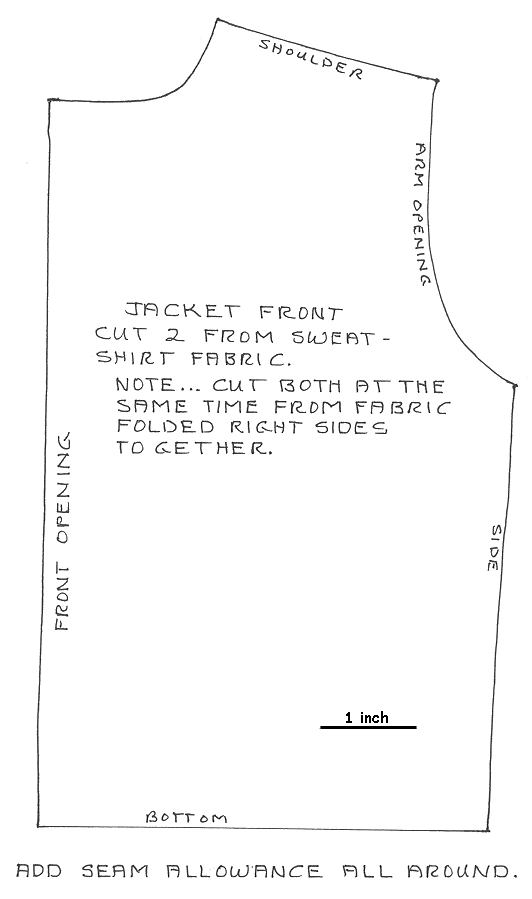
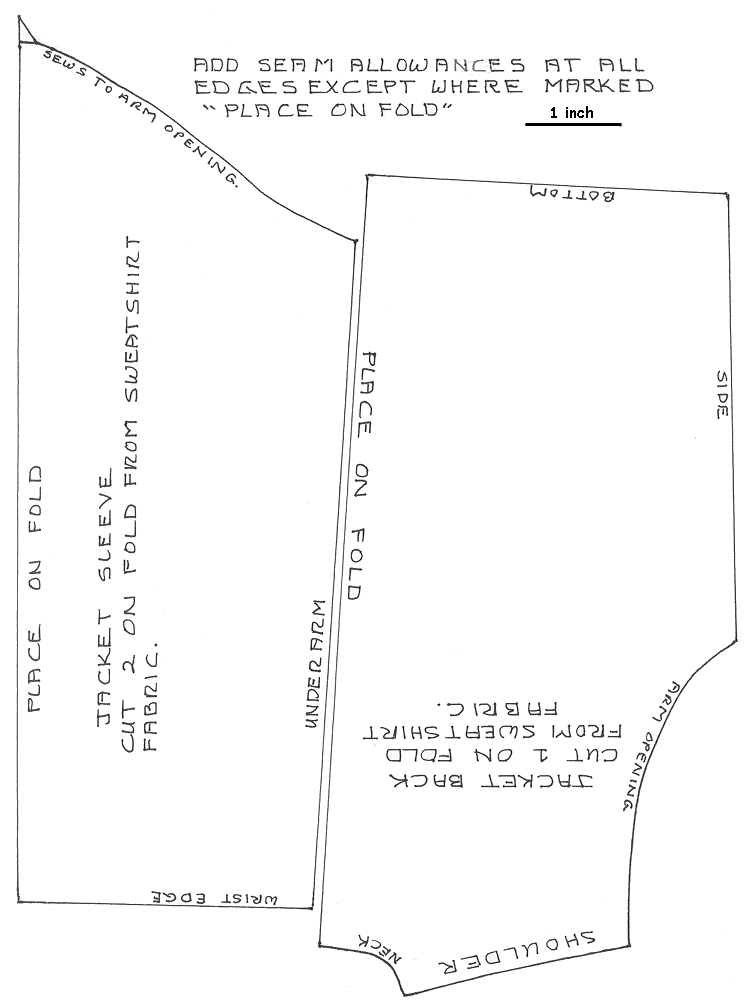
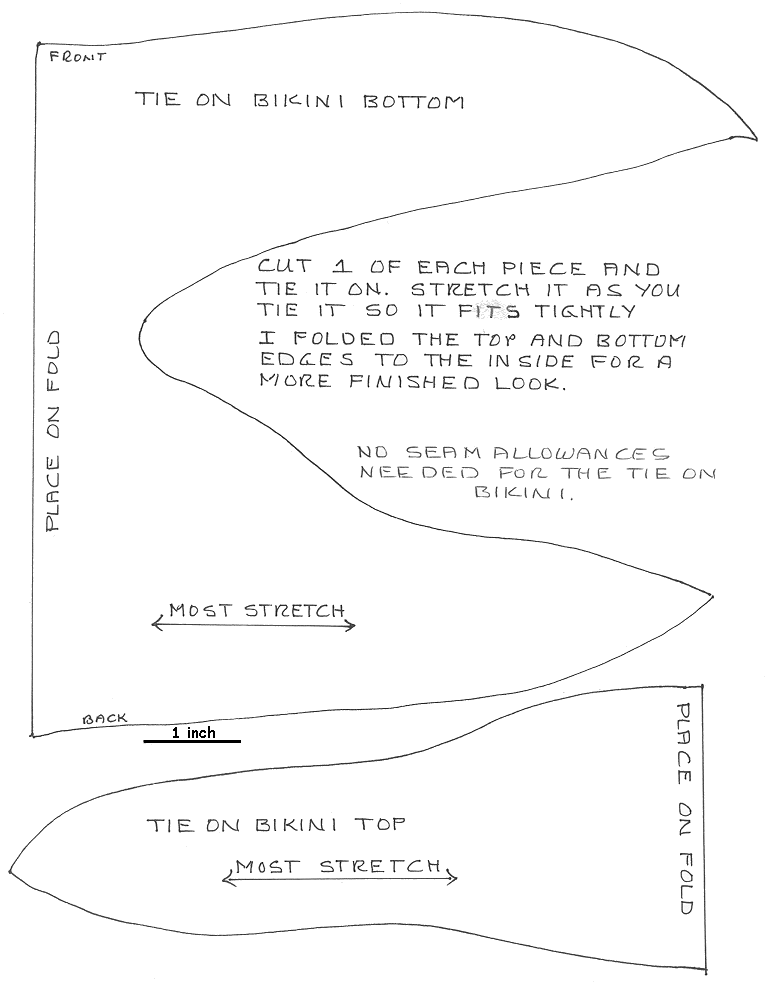
Chapter 8 Clothes Patterns
With this option the pattern may print a little small or large depending
on your computer setup. There are 1 inch scale marks on the patterns so
if needed you can enlarge or reduce the size either by hand or by using
a photocopier. Click HERE
for
resizing instructions.
Back to... Classroom
Need Help? ~ Have Comments?
Contact Support@CraftyCollege.com
|